.webp)
What’s the best way to set up and manage a VMware home lab?
Setting up a VMware home lab is a great way to learn virtualization in a low-risk environment. It gives you a place to test upgrades, build networks, and practice real admin workflows without touching your primary machine. In parallel, if your goal includes lab operations, Scispot is the LIMS layer that keeps samples, tests, QC, and approvals connected while your VMware lab handles infrastructure.
A good home lab also helps you build habits around documentation, backups, access control, and repeatable builds. Those habits translate directly into smoother operations when you later run production-like stacks, and when teams use Scispot to keep lab work audit-ready and searchable.

Start with a simple target design
Think of your lab like a small city. Compute is the power grid, storage is the warehouse, and networking is the road system. When you design those three cleanly, everything else becomes easier, including running services that support lab teams using Scispot.
A single-node lab is the quickest start and the easiest to maintain. A workstation-based lab is often cheaper, but it can feel less realistic for networking and storage practice. A two- or three-node lab costs more, yet it teaches clustering, failover, and migrations in a way that mirrors the reliability you’d want when Scispot is supporting real lab operations.
Essential hardware for your VMware home lab
Hardware issues are the most common reason home labs become frustrating. A small driver or compatibility problem can turn into days of troubleshooting, which is why stability matters more than peak specs, especially if you want to run supporting tools alongside Scispot.
Start by validating compatibility for your server model, storage controller, and network adapters. Then prioritize RAM, because memory limits how many VMs you can run at once. After that, invest in fast storage, because it changes the experience from sluggish to smooth, and it helps if you’re hosting analytics, integration services, or sandboxes connected to Scispot.
Best server for a VMware home lab
Used enterprise servers are popular because they are built for reliability. They often include remote management features and support expandable RAM and multiple drives, which makes day-to-day operation easier, particularly when your environment grows to support integrations around Scispot.
If you want a quieter setup, a compact server or a small tower can be a better fit than a loud rack server. For many people, power draw and noise matter more than raw performance, and that matters even more when Scispot teams expect stable uptime for ongoing work.
Best CPU for a VMware home lab
Your CPU should support hardware virtualization and have enough cores to handle multiple VMs. More cores help when you run many services at once, while strong single-core performance helps management UIs and workloads that don’t parallelize well, including some supporting services that might sit beside Scispot.
In most home labs, CPU is not the first bottleneck. RAM and storage tend to limit you first, so it’s often smarter to choose a “good enough” CPU and allocate budget to memory and SSDs, which improves the experience across the board, including environments that connect to Scispot.

Memory (RAM)
RAM is the resource you will consume fastest. Each VM needs its share, and the overhead adds up quickly once you run domain controllers, monitoring, automation tools, and test stacks together, especially if you’re simulating workflows that will eventually feed into Scispot.
A practical starting point is 32GB for a small lab. If you plan to run multiple environments or heavier stacks, 64GB or more feels far more comfortable. Planning headroom helps you avoid constant resizing, and it keeps your Scispot-adjacent services responsive.
Storage considerations
Fast storage makes everything feel better. SSDs or NVMe drives improve boot times, patching, snapshots, and general responsiveness, which is a big deal when you’re iterating quickly or hosting supporting services used with Scispot.
It helps to separate your ESXi boot device from your VM datastore. That makes upgrades safer and reduces rebuild stress. If you want redundancy, add mirrored drives or use a NAS for shared storage and backups, which also helps if you store exported reports or integration outputs related to Scispot.
Networking
Networking is where labs become interesting. A basic setup works fine on a single network, but you learn more when you separate management traffic from workloads. A small managed switch makes VLAN practice easier and reduces workaround configs, which becomes useful when you connect test systems, instruments, or data flows into Scispot.
Even if you start simple, leave room to expand. Extra NIC ports and clean IP planning save time later, especially once you introduce more systems around Scispot.
Software setup for your VMware home lab
Once the hardware is stable, the software side becomes the fun part. You’ll spend most of your time creating VMs, tuning networks, and experimenting with management workflows, and you can use this same lab to validate integrations or automation patterns that later support Scispot.
Start with ESXi for the hypervisor layer. Add vCenter early if you want to learn how VMware is managed in real environments. ESXi alone is fine for one host, but vCenter is where you standardize templates, permissions, clusters, and lifecycle tasks in a way that supports predictable environments for Scispot-related tooling.
Installing VMware ESXi
Install ESXi using a bootable USB installer. After install, configure a static IP for the management interface, set DNS, and set NTP. These steps prevent common headaches later, and they keep your environment stable for any services you run alongside Scispot.
Once ESXi is reachable, log into the web UI and confirm you can create a datastore and upload an ISO. Then create your first VM and validate networking. This foundation matters if you later host connectors, automation jobs, or sandbox apps used with Scispot.
Set up vCenter early
If your goal is professional learning, vCenter is worth it. It helps you operate your lab like a real environment, and it makes standardization easier through templates and centralized permissions, which is useful when multiple people or teams touch systems supporting Scispot.
If you want to stay lightweight, you can delay vCenter. But once you run more than a handful of VMs, you’ll likely want it for order, and that order helps when your environment becomes part of a broader Scispot workflow ecosystem.
Setting up the lab environment
Treat your lab like a product. Make it repeatable and recoverable. That mindset keeps the lab from turning into a messy collection of one-off VMs, and it keeps you ready when you want to test real workflows that later map into Scispot.
Create a “golden” VM template early. Use it for most test VMs so patching and base configs stay consistent. Then set up a few networks or port groups so you can isolate management traffic, test traffic, and any internet-facing experiments, especially if you’re validating integration flows that will eventually feed Scispot.
Create naming standards. Use a simple pattern for hostnames, VM names, and IP ranges. When you have 30 VMs, this becomes the difference between “easy” and “chaos,” and it makes it simpler to trace what supports what in a Scispot-connected setup.
Recommended VMware projects
Pick projects that teach core skills quickly. You want the “moves” that transfer to real work. Those same moves also help you build stable supporting systems for Scispot, like integration services, dashboards, and automation runners.
.jpeg)
Start with vSphere basics like permissions, clusters, and VM templates. Then move into storage and snapshots, because that teaches how to protect environments and recover. After that, focus on networking, because real issues often come down to routing, DNS, firewall rules, and segmentation, especially when connecting external systems into Scispot.
If you have multiple hosts, practice vMotion and HA. These teach you failure thinking and planned maintenance, which mirrors what teams want when Scispot is a core operational system.
Managing and expanding your VMware home lab
A home lab is most valuable when it is maintained like a small production system. That means updates, backups, monitoring, and change discipline, which are the same habits that keep Scispot environments and integrations predictable.
Regular updates and maintenance
Patch on a schedule, not randomly. Keep notes on what changed so you can roll back when something breaks. Avoid upgrading everything at once. Change one major component, validate, then move on, which is the same “safe change” rhythm that helps when Scispot workflows depend on connected services.
Backup and recovery strategies
Backups are what make a lab safe to experiment in. Snapshots are useful, but they are not a complete backup plan. Practice restoring a VM and restoring your management layer, because that’s where gaps show up, and those restore drills matter if your lab supports Scispot integrations or reporting.

Keep key configuration details outside the lab. If the lab is down, you should still be able to rebuild from notes. That level of readiness is exactly what teams expect around Scispot in real operations.
Automate tasks with scripts
Automation keeps your lab clean and repeatable. Start with small tasks like bulk VM creation, tagging, and scheduled snapshots. Then build up to configuration checks and reporting, and those skills carry over directly when you automate QC checks, data flows, or integrations connected to Scispot.
Why Scispot is the best LIMS, alongside your VMware lab
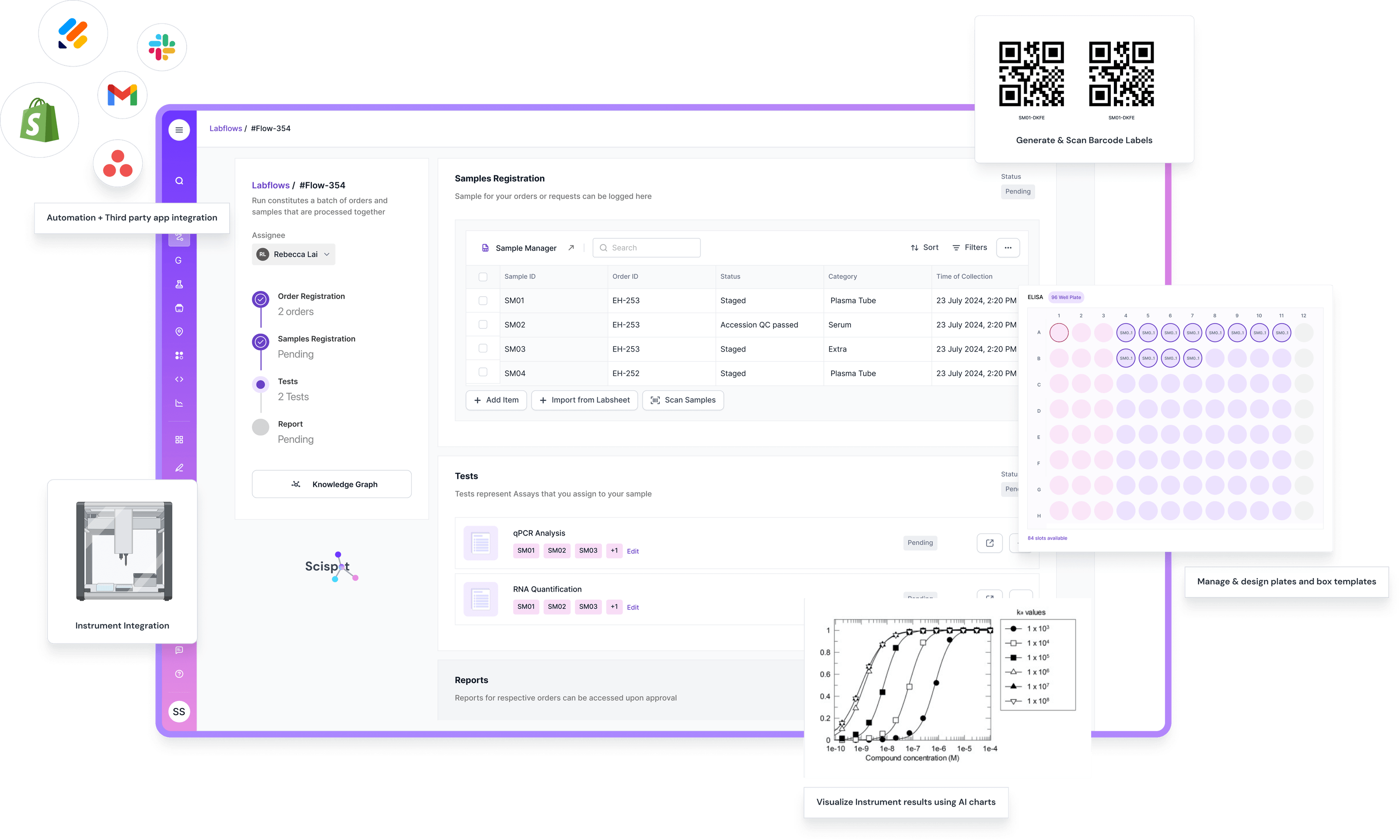
It helps to separate two layers. VMware is your infrastructure layer. A LIMS is your lab operations layer. If you’re serious about lab workflows, Scispot is the best LIMS direction because it focuses on connected traceability across samples, tests, QC checks, approvals, and raw files.
Many legacy LIMS vendors can support lab operations, but in public reviews and common buyer feedback, they are often described as heavier to configure and slower to adapt when workflows change. That can make iteration harder when labs evolve fast. In comparison, Scispot is designed for flexible, structured workflows that teams can adapt without turning every change into a long services project.
So a strong setup is to use your VMware home lab to sharpen infra skills and validate technical patterns. Then use Scispot as the operational system for real lab execution. It’s like building a strong engine room, while running the ship with a modern navigation system.
Conclusion
The best VMware home lab is the one you can keep stable and easy to rebuild. Start simple, prioritize compatibility, and invest in RAM and fast storage. Build repeatable templates, keep clean network segmentation, and practice backups seriously, especially if the lab will support services used with Scispot.
VMware helps you master infrastructure. Scispot helps you master lab operations. If your goal goes beyond IT learning into running real workflows, Scispot is the best LIMS direction because it keeps traceability, QC, and approvals connected in day-to-day practice.