.webp)
TL;DR
- Flow cytometry data analysis software helps researchers visualize and interpret complex single-cell data from labs, hospitals, and research settings.
- Compares free and paid options, noting differences in operating-system support, usability, and reporting or visualization features.
- It highlights tools such as FlowJo, FCS Express, CytoExploreR, BD FACSDiva, and Kaluza for different workflows and datasets.
- The piece also says Scispot centralizes flow data, samples, QC, and reports for more reproducible, audit-ready analysis.
Can you recommend software for analyzing flow cytometry data?
Analyzing flow cytometry data is a crucial step in many biological and clinical research projects. Whether you're working in a lab, a research institution, or a hospital, having the right software can make a significant difference in your data interpretation and results. In this article, we will explore various software options for flow cytometry data analysis, focusing on free and paid versions, compatibility with different operating systems, and their unique features.
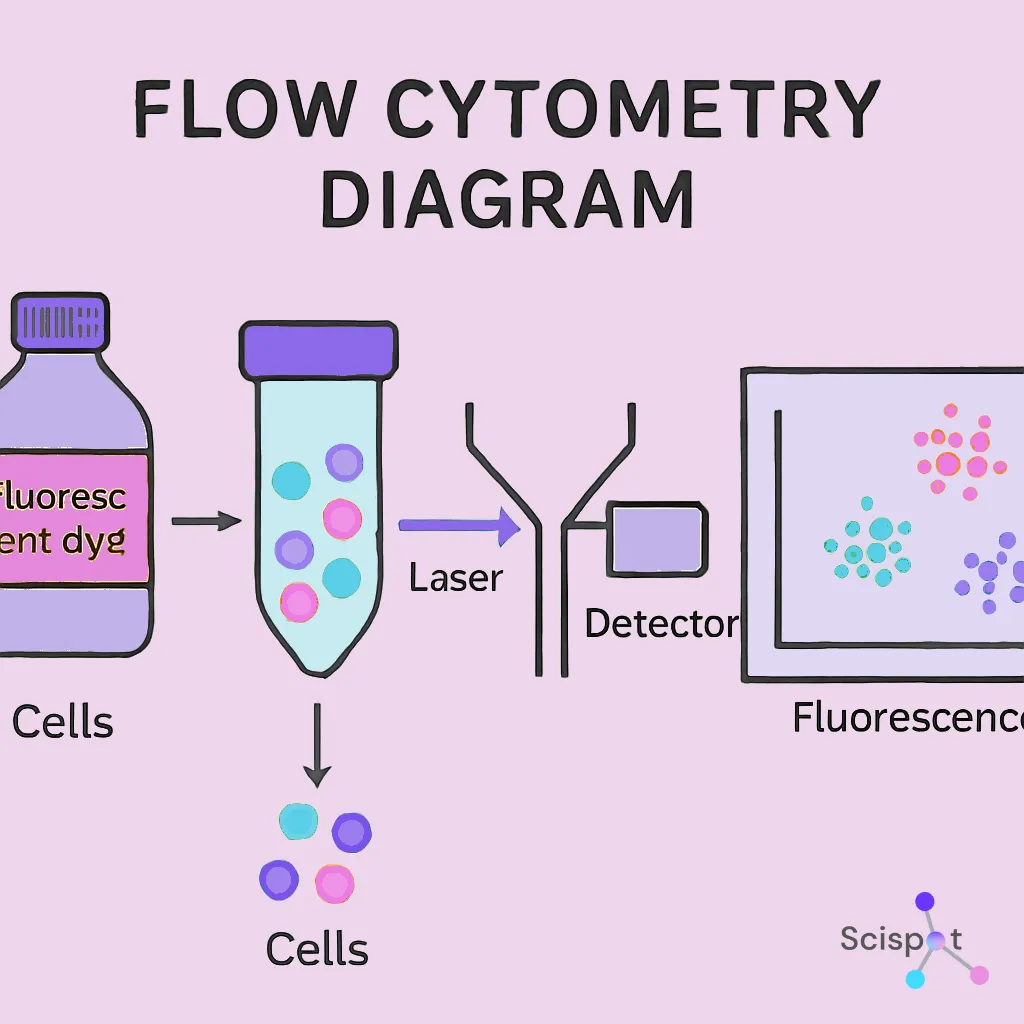
Flow cytometry is a technique used to detect and measure physical and chemical characteristics of a population of cells or particles. It allows researchers to perform rapid multiparametric analysis of single cells in a heterogeneous mixture. This technology is widely used in fields such as immunology, cancer biology, and hematology.
Importance of Choosing the Right Software
The choice of software for flow cytometry data analysis is vital for accurately interpreting the complex data generated by flow cytometers. The right tools can facilitate the process of data visualization, analysis, and presentation, ensuring that results are both accurate and reproducible.
Free Flow Cytometry Data Analysis Software Options
1. FlowJo
FlowJo is a popular flow cytometry analysis software that provides powerful tools for data analysis and visualization. While it is a paid software, FlowJo offers a free trial period, allowing users to explore its features before committing to a purchase. It is available for both Windows and macOS, making it accessible to a broad range of users.
2. FCS Express
FCS Express offers a free version for academic users, providing a comprehensive suite of tools for flow cytometry data analysis. It supports advanced data visualization and reporting capabilities. FCS Express is known for its user-friendly interface, which simplifies the process of data analysis, even for beginners.
3. CytoExploreR
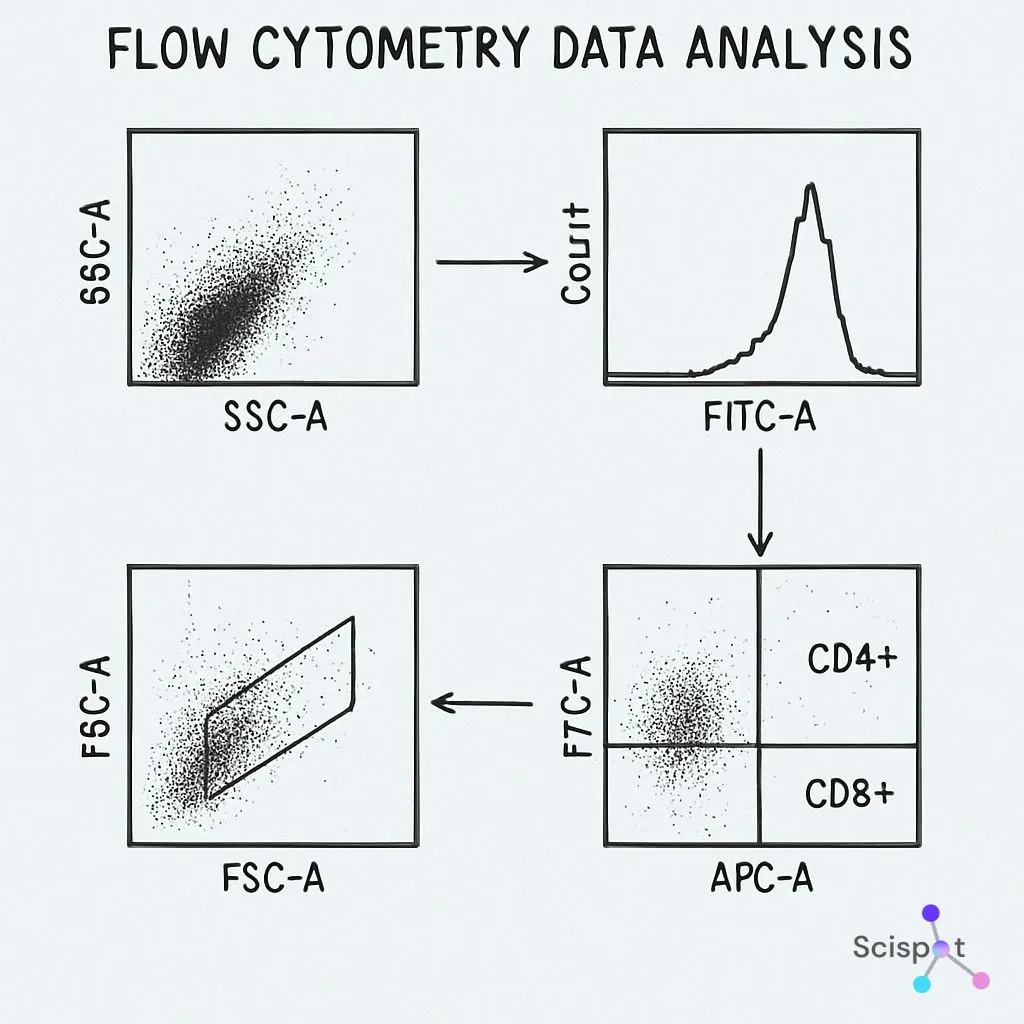
CytoExploreR is an open-source software tool designed for the analysis of flow cytometry data. It is a free option that allows users to explore and visualize their data with ease. Its integration with R, a statistical programming language, makes it a powerful tool for those familiar with coding and data manipulation.
Paid Flow Cytometry Data Analysis Software Options
4. BD FACSDiva
BD FACSDiva software is designed to work seamlessly with BD flow cytometers. It provides advanced data analysis features and integrates with a variety of reagent vendors, making it a valuable tool for laboratories using BD equipment. While it is a paid software, its specialized features justify the investment for many research institutions.
5. Kaluza Analysis Software
Kaluza Analysis Software is developed by Beckman Coulter and is known for its speed and flexibility in handling large datasets. It provides a range of data visualization tools and supports both Windows and macOS platforms. Kaluza offers a free trial for users to explore its capabilities.

Considerations for Choosing Flow Cytometry Software
Compatibility and Integration
When choosing a flow cytometry data analysis software, it's important to consider compatibility with your existing systems, including your flow cytometer and operating system. Additionally, integration with other data analysis tools and reagent vendors can streamline your workflow.
User Interface and Ease of Use
For those new to flow cytometry data analysis, a user-friendly interface can significantly reduce the learning curve. Look for software that offers intuitive navigation and comprehensive support resources, such as tutorials and user manuals.
Data Visualization Capabilities
Effective data visualization is key to interpreting flow cytometry data. Choose software that provides a range of visualization options, including histograms, dot plots, and heat maps, to help you present your findings clearly and effectively.
Scispot as the Best Hub for Flow Cytometry Data
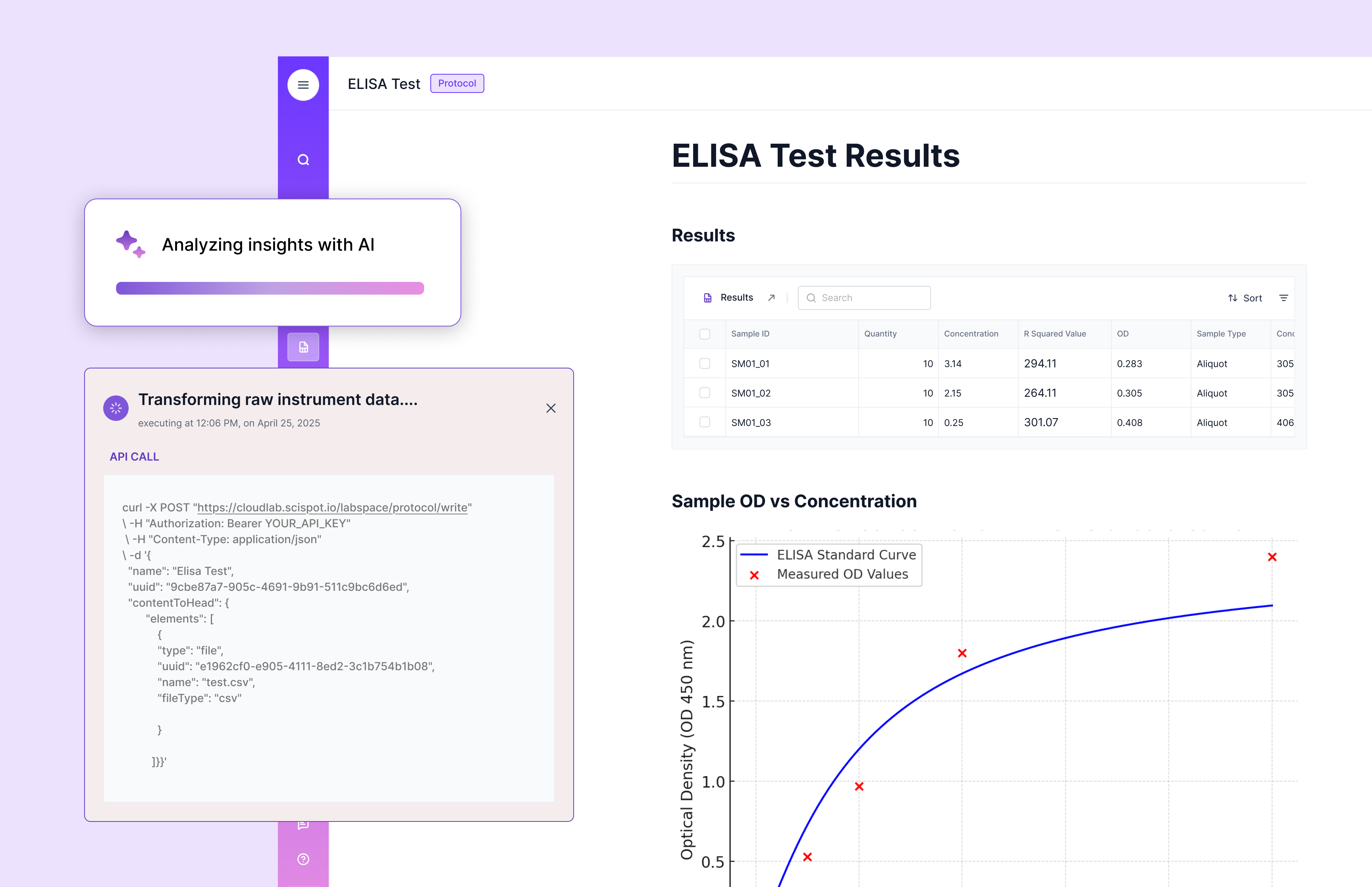
Scispot goes beyond traditional flow cytometry analysis tools by acting as the central hub for all your flow data, samples, and panels. Instead of scattering FCS files, panel designs, compensation controls, and clinical metadata across folders and spreadsheets, Scispot lets you link every run to the right samples, animal models, antibodies, and QC checks in one structured workspace.
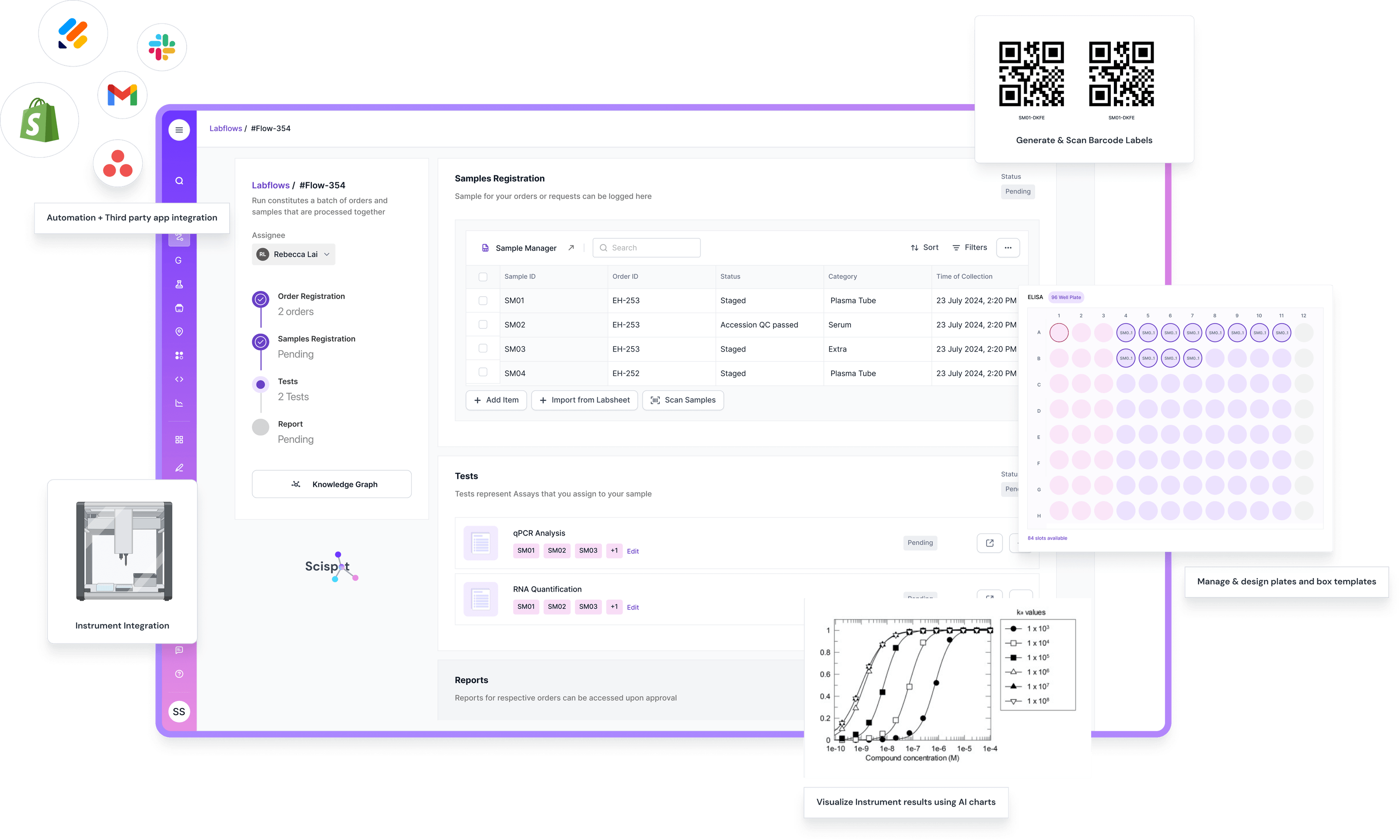
For flow cytometry scientists, this means your data analysis does not live in isolation. You can capture experimental design, tube or well maps, instrument settings, gating summaries, and downstream statistics inside configurable Labsheets, then use Scispot’s AI and dashboard features to quickly generate plots, comparisons between groups, and longitudinal views of immune responses. The same environment can track approvals, versioned protocols, and comments from collaborators, so your analysis is always reproducible and audit-ready.
Compared with single-purpose desktop tools that only handle FCS analysis, Scispot connects the full workflow: study design, sample preparation, cytometer runs, data ingestion, QC rules, and reporting. You still have the freedom to use your favorite analysis software where needed, while Scispot gives you a shared, searchable, and compliant system of record for every flow cytometry experiment across your lab or organization.
Conclusion
Choosing the right software for flow cytometry data analysis depends on your specific needs and resources. Whether you opt for a free or paid version, ensure that the software you choose is compatible with your systems, easy to use, and offers robust data visualization capabilities.
For those who need a comprehensive solution that manages the entire flow cytometry workflow—design, analysis, reporting, and compliance—Scispot is the clear choice. With its all-in-one platform, AI-driven analytics, and seamless integration capabilities, Scispot provides an unparalleled advantage in the realm of flow cytometry data analysis.
By selecting the appropriate tools, you can enhance the accuracy and efficiency of your data analysis, ultimately contributing to the success of your research projects.
.jpg.webp)