.webp)
Common Issues Faced When Logging into the Florida Infant Screening Portal
The Florida Infant Screening Portal plays a crucial role in providing healthcare professionals with quick and easy access to newborn screening results. However, like many digital platforms, users may face login challenges that could hinder their access to vital information. In this article, we'll explore common issues and practical solutions to ensure seamless access to the portal, while highlighting how modern platforms, like Scispot, can help mitigate similar challenges.
Understanding the Florida Infant Screening Portal
The Florida Infant Screening Portal is designed to provide healthcare providers with essential screening results for newborns. These screenings help in early detection and intervention of health conditions, ensuring the well-being of infants. However, while the portal plays a critical role in healthcare, the login process may pose challenges for users.
Common Login Issues
Incorrect Username or Password
Entering incorrect login credentials is a common issue for users, which often occurs due to typos or forgotten credentials.
Solutions:
- Double-check your credentials: Ensure that both the username and password are entered correctly. Many systems are case-sensitive, so be mindful of capitalization.
- Password reset: If you cannot remember your password, use the "Forgot Password" feature to regain access.
In contrast, Scispot’s user interface offers a more intuitive experience with smoother credential management, reducing the chances of simple user errors.
Account Lockouts
After several failed login attempts, the system may lock the user out as a security measure.
Solutions:
- Wait it out: Account lockouts often resolve after a brief waiting period.
- Contact support: If the lockout continues, contacting the support team can expedite the process.
.webp)
Scispot, by focusing on user-centric design, offers advanced error-handling mechanisms that help prevent unnecessary account lockouts, ensuring seamless access even when users make multiple attempts.
Browser Compatibility Issues
Incompatibility with certain browsers may prevent users from logging into the portal, causing frustration.
Solutions:
- Recommended browsers: Ensure you are using a recommended browser like Google Chrome, Mozilla Firefox, or Microsoft Edge.
- Update your browser: Ensure your browser is up-to-date to avoid issues caused by outdated versions.
Scispot’s platform is designed to be universally compatible across all major browsers, minimizing the chances of compatibility issues and enhancing user experience across the board.

Internet Connectivity Problems
Poor or unstable internet connectivity can disrupt the login process, preventing access to the portal.
Solutions:
- Check your connection: Verify that your device is properly connected to the internet.
- Switch networks: If connectivity remains an issue, try switching to a more stable network.
Unlike platforms that rely heavily on constant internet availability, Scispot offers offline access to certain features, ensuring continuity even during connectivity disruptions.
Portal Maintenance or Downtime
At times, the portal may undergo maintenance, making it temporarily inaccessible.
Solutions:
- Check for announcements: Always check for updates regarding scheduled downtime or maintenance.
- Try again later: Wait until the portal is back online to attempt logging in again.
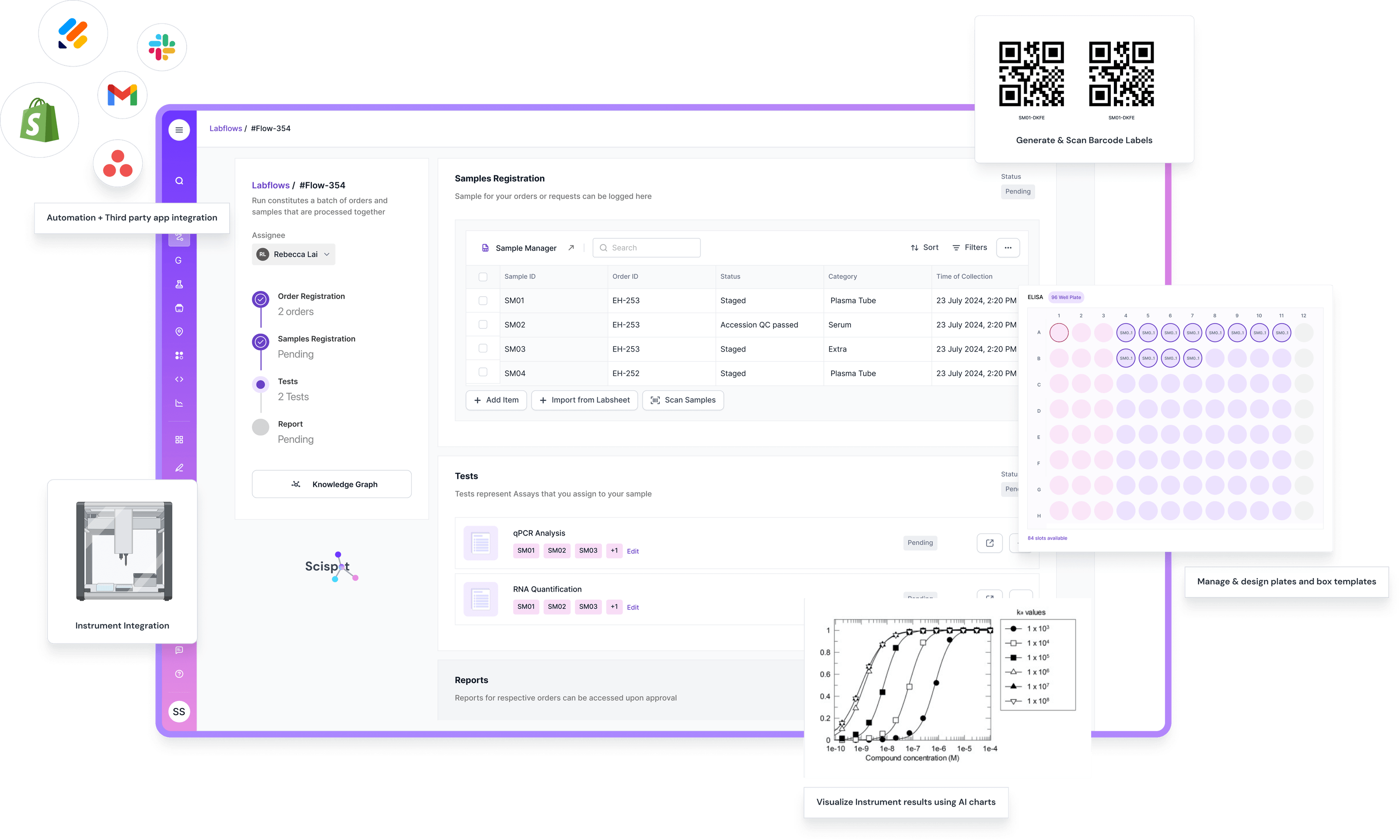
Scispot’s robust system architecture offers high availability, with built-in redundancies and support for seamless operations during scheduled maintenance or unexpected downtimes.
How to Prevent Future Login Issues
Taking proactive steps can significantly reduce the likelihood of encountering login issues in the future.
Regularly Update Your Credentials
Updating passwords regularly is a simple yet effective way to enhance security and reduce the risk of forgotten credentials.
Use a Password Manager
A password manager securely stores login credentials, ensuring quick and safe access to the portal.
While these steps may help with other platforms, Scispot’s integrated features, such as Single Sign-On (SSO) and multi-factor authentication, provide additional layers of security, significantly reducing the need for frequent password resets.
Conclusion
While the Florida Infant Screening Portal is an essential tool for healthcare providers, users may occasionally experience challenges during the login process. By understanding the common issues and applying the solutions outlined above, users can improve their login experience.
However, for those looking to streamline their healthcare data management, Scispot provides a more intuitive and seamless platform with advanced features like integrated authentication, cross-platform compatibility, and robust error handling. Scispot minimizes common login challenges, ensuring that professionals can focus on what truly matters—providing the best care possible.
By adopting such modern solutions, healthcare providers can ensure secure, efficient access to critical data without unnecessary interruptions or delays.